
To reset your password in the Oracle Cloud system follow the steps below.
- Open Mozilla Firefox on your PC or Macbook (Oracle Cloud works best on the Firefox web browser).
- Navigate to https://engw.login.ap1.oraclecloud.com/

- Click on 'Forgot Password'

- Enter your Username (usually firstname.lastname) or the Email address associated with your Oracle Cloud Account.
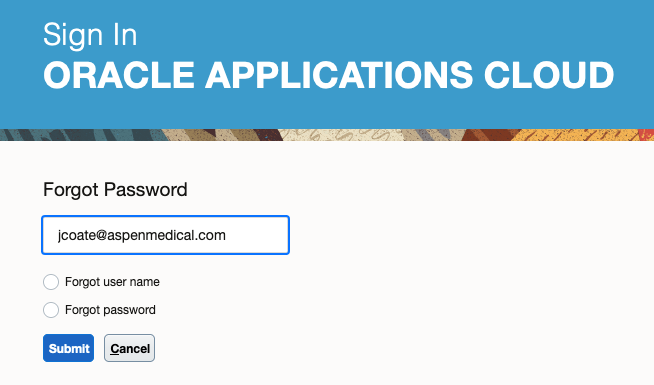
- Check the 'Forgot Password' radio box, and click 'Submit'
- The Oracle Cloud system will then send you an email with a link (be sure to check your junk folder should it not arrive in your inbox).
- Follow the link in your email to set a new password

- Enter your new password twice into the fields available and click 'Submit'

- You will now be able to login as normal.
Comments
0 comments
Article is closed for comments.